
Why Is Your Vape Blinking? Common Fixes
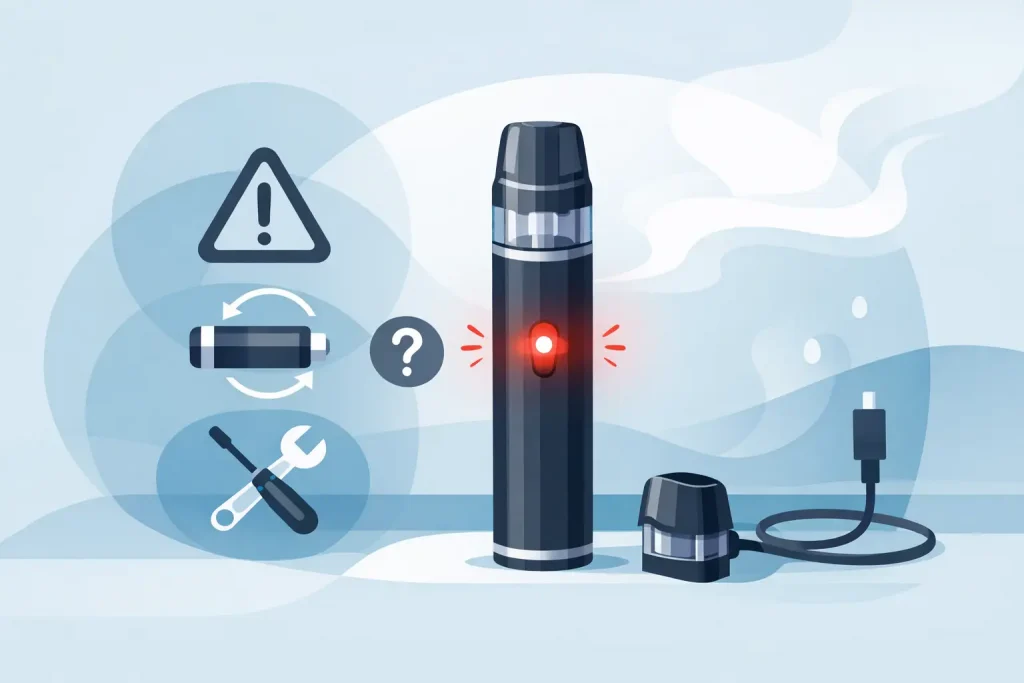
You press the button or take a draw, the light starts flashing, and there is no vapour. Vape blinking is usually your device trying to tell you something rather than failing without warning. The catch is that there is no universal flash code: a red light on one vape can mean low battery, while the same colour on another may point to a pod connection, coil or safety cut-off.
The quickest fix is to work through the basics in the right order. Check the charge, inspect the pod or tank, clean the contacts and make sure the device is not overheating. If it still flashes after those checks, replacing the correct compatible part is normally more sensible than forcing it to work.
What does vape blinking mean?
Most vape kits use an LED to communicate a status or fault. A few short flashes can indicate that the battery needs charging, the device cannot detect the coil, the pod has been inserted incorrectly or a safety feature has activated. Longer or repeated flashing may also happen when a device has timed out after an extended draw.
Your device manual remains the best source for the exact number and colour of flashes. It is worth checking because closed-pod kits, refillable pod systems, vape pens and larger mod kits use different indicators. Treat online flash-code charts as a starting point, not a guarantee.
If you have a disposable vape, a blinking light near the end of its usable life commonly means the battery or e-liquid has run out. Disposable units are not designed to be refilled, opened or repaired. Do not try to prise one apart or charge it if it was not made for recharging.
Start with the battery and charging cable
Low charge is the most common reason a vape flashes. Connect rechargeable devices to a suitable USB charging source and allow enough time for the battery to recover. Some kits blink while charging and change colour, stop flashing or show a solid light once ready.
If the light flashes repeatedly when you connect the cable, try a different cable and a different low-power USB port. A damaged cable, blocked charging port or unsuitable power adaptor can prevent charging. Avoid leaving any vape charging unattended, charging it overnight or using a visibly damaged lead.
For devices with removable batteries, remove the cell only if the manufacturer says it is user-replaceable. Check the battery wrap for tears, dents or leaks. Never use a damaged battery, carry loose cells in a pocket or charge removable batteries with the wrong charger. Battery safety is not an area for workarounds.
A device that becomes unusually hot, smells odd, swells or continues behaving erratically should be taken out of use. Allow it to cool on a non-flammable surface and do not continue trying to charge it.
Check whether the device is locked
Many button-operated kits lock with five quick presses of the fire button. If your vape flashes but will not produce vapour, it may simply be locked or switched off. Press the button five times quickly, then try again. Do not keep pressing if the light pattern suggests an error – check the manual first.
Some devices also have a puff timer. If you hold the button or take an unusually long draw, the kit may flash and stop firing to prevent overheating. Let it sit for a minute before trying a normal, shorter draw.
Vape blinking after a pod or coil change
A flashing vape immediately after fitting a new pod or coil usually points to a connection problem. Remove the pod or tank, then look at the metal contacts on both the device and the pod base. Condensation or leaked e-liquid can interrupt the connection.
Use a clean, dry tissue or cotton bud to gently wipe away moisture. Refit the pod firmly without forcing it. On a tank-based device, make sure the coil is fully seated and the tank is assembled correctly. Cross-threaded parts, loose coils and a pod that is not clicked into place can all trigger a no-atomiser or short-circuit warning.
If you have just filled a fresh pod or changed a coil, give it time to saturate before vaping. Most coils need around five to ten minutes after filling, depending on the e-liquid and device. Firing a dry coil can burn the wick, produce a harsh taste and make the replacement unusable.
Only use pods and coils intended for your exact vape model. Similar-looking parts are not always compatible, and an incorrect coil resistance can cause a blinking warning or poor performance. Checking the model name before ordering replacement vape accessories saves wasted money and avoids the frustration of a part that does not fit.
Look for leaks, flooding and blocked airflow
Leaks do more than make your pocket sticky. E-liquid underneath a pod can interfere with electrical contacts, while liquid inside the central airflow tube can flood the coil. A flooded coil may gurgle, spit or refuse to fire properly.
Remove the pod or tank and clean the connection area. If the airflow channel is visibly flooded, gently blot it with tissue. Do not blow hard into the device body, as this can push liquid further inside. Refill only to the marked level, keep the device upright where possible and make sure the filling plug is fully closed.
A blocked mouthpiece can cause similar trouble. Check for pocket lint or dried e-liquid around the mouthpiece and airflow slots. Clean gently and avoid sharp tools that could damage seals. When the pod is cracked, badly leaking or no longer holding securely, replacement is the practical answer.
When a flashing light means the coil has reached the end
Coils are consumable parts. Even with careful use, flavour gradually drops, vapour production changes and the wick eventually wears out. A burnt taste, darkened e-liquid, repeated blinking or a device that only works intermittently can mean it is time for a fresh compatible coil or pod.
How long a coil lasts depends on your e-liquid, wattage, draw style and how often you vape. Sweeter e-liquids can shorten coil life because residue builds up on the heating element. Running too much power for the fitted coil can do the same. Staying within the wattage range printed on the coil is a simple way to get more consistent performance.
Do not keep using a coil that tastes burnt in the hope it will recover. It rarely does, and replacing it promptly gives a cleaner flavour and protects the rest of the setup from unnecessary mess.
Recommended Products
When blinking is caused by a worn consumable, buy the genuine replacement pod or compatible coil made for your specific kit rather than guessing based on appearance. Easy Vapes offers vape kits, replacement coils, pods, batteries, chargers and e-liquids, making it easier to match the part to the device you already own.
For refillable kits, keep a spare pod or pack of coils on hand so a worn-out part does not leave you without your usual setup. If your device takes removable batteries, choose cells and a charger that meet the manufacturer’s specification. Never substitute a random battery simply because it fits physically.
A fresh bottle of e-liquid may also help if your current liquid has darkened, tastes off or has been sitting open for too long. Match the nicotine strength and VG/PG ratio to the device’s intended use. Higher-VG liquids usually suit more powerful sub-ohm tanks, while many compact pod kits work better with thinner, pod-friendly blends.
When to stop troubleshooting
A vape that blinks once and needs a clean or recharge is usually straightforward. A vape that repeatedly flashes after charging, cleaning contacts and fitting a known-compatible new pod or coil may have an internal fault. The same applies if there is heat, physical damage, a broken port, a persistent burning smell or visible battery damage.
Do not dismantle a sealed vape or attempt home repairs on its battery. Store the device safely away from children and pets, then follow local battery and electrical recycling guidance when disposing of it. Vapes should not go in ordinary household rubbish.
FAQ
Why is my vape blinking red but still charging?
Many kits use red to show a low battery level during charging. If it never changes after a reasonable charge, test a different compatible cable and inspect the port for debris. Consult the device manual for its specific light pattern.
Why does my vape blink three times?
Three flashes can mean low battery, a coil detection issue or a short-circuit warning depending on the model. Clean the contacts, reseat the pod or coil and check that you are using the correct replacement part.
Why is my vape blinking but not hitting?
Start with the battery, then inspect the pod or tank connection. Low charge, a flooded or worn coil, a loose pod and an activated safety feature are all common causes. If basic checks do not help, stop using the device rather than repeatedly firing it.
Can I keep using a vape when it flashes?
Only if the manual confirms it is a normal status indicator, such as a low-battery warning while the device still operates. Stop using it when blinking is paired with overheating, damage, leaking around electrical contacts or a burnt smell.
A flashing LED is useful information, not a reason to panic. Check the simple causes first, replace only the part that has actually worn out, and keep battery safety ahead of a quick fix.